Server Status
Online
0 / 150 players

New to FTF Hardcore?
Start with Death, Land Claiming, and Portals. Then explore Unity, trade, PvP, homes, markets, and the other systems as you need them.
Ancient beings tied to the realm’s economy, progression, relics, and warfare.
The Ancestors are more than shopkeepers. They are the faces of an ancient system connecting trade, survival, death, and power.
The Ancestors are found in the Ancestral Realm. See the Portals section for construction and travel rules.
View Portal Construction
Mysterious beings that watch over every generation.
The Eyes are the source of all land protection, relics, and ancestral power.
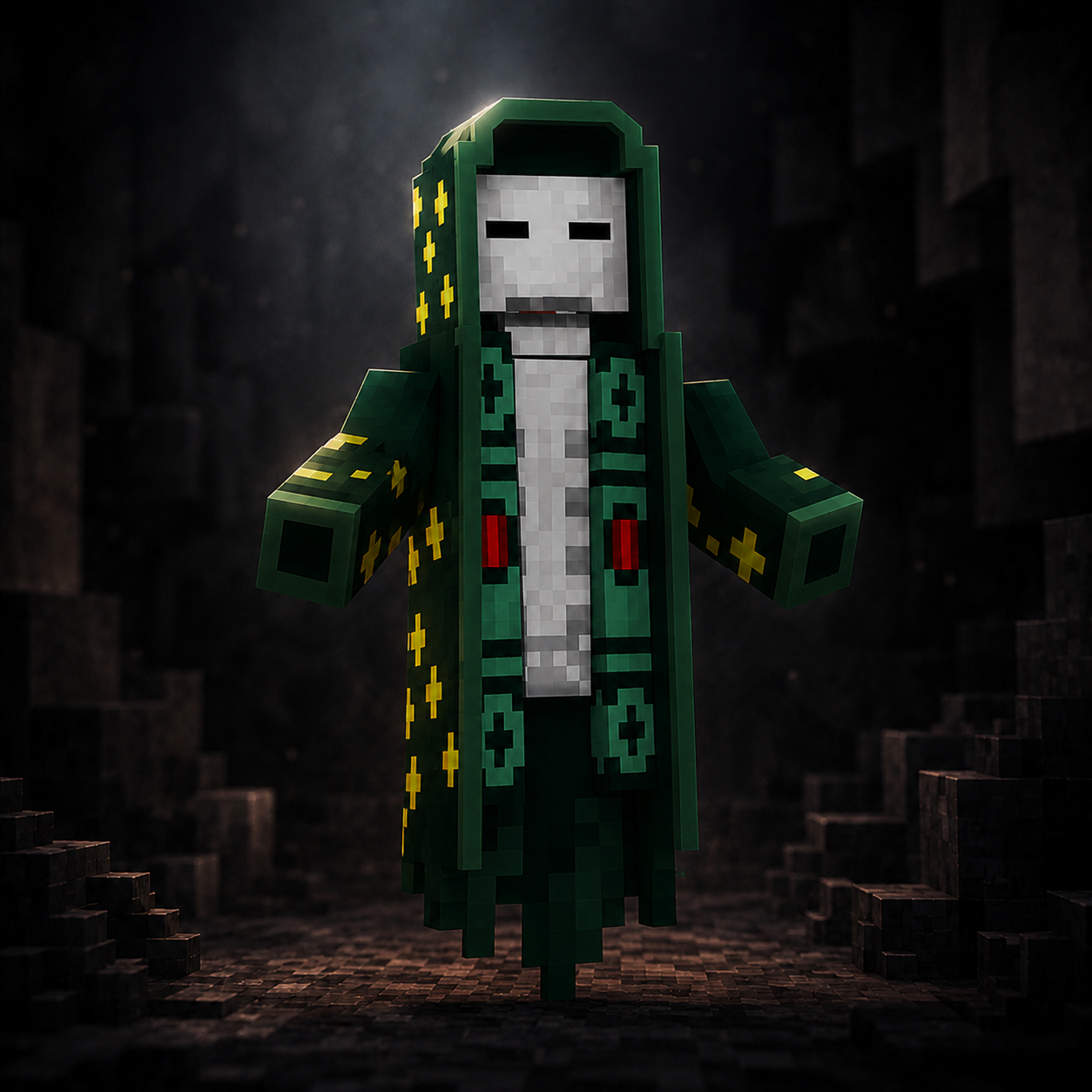
Sells rare progression items, relic-related tools, and equipment in the Ancestral Realm.
/ah, /orders, and /bounties
Accepts specialized orders for tools used in strategic raiding.

Converts resources into Shillings and manages your Bank balance.

A dangerous Overworld boss that drops powerful relics.
Create your own identity, organize members, manage diplomacy, and build a society shaped by its players.
The systems remain consistent, but the identity, purpose, leadership, and story are chosen by the players.
Use /unity to create your group, invite members, manage
roles, handle diplomacy, and control territory from one menu.
Build a role hierarchy, control permissions, and create a Unity Tag that represents your group.
Create alliances, declare enemies, and shape your Unity's relationships with the other powers of the world.
Claim land with Protection Cores, expand each Core with Land Relics, and connect additional Cores to grow a larger Unity territory.
Divide Unity land into smaller managed areas so different parts of your territory can have different access rules.
Transfer ownership while alive or designate a successor who can inherit leadership if the owner remains permanently dead.
Establish territory with a Protection Core, expand it using Land Relics, reinforce your structures, and defend your settlement through FTF Hardcore's controlled raiding system.
Place a Protection Core in the Overworld wilderness and choose whether it belongs to you privately or to your Unity. A Core begins at Land Level 0 and claims no territory until a Land Relic is applied.
Apply Land Relics to activate and expand chunk-based territory around the Protection Core's anchor chunk.
Strengthen qualifying player-placed structures throughout the claimed land.
An active Protection Core protects Offline Sleepers from unauthorized attackers and protects named rideable animals outside active raids.
Natural terrain and player-built fortifications follow different damage rules, keeping raids strategic without allowing instant base destruction or endless automated repairs.
Choose an heir for your personal property in case your final death comes before you can arrange the transfer yourself.
Control access at three levels, each overriding the one before it for a smaller area.
FTF Hardcore uses a seven-death LifeDeath progression. Your first death spares you from an affliction, the next four carry increasingly long consequences, the sixth requires another player to revive you, and the seventh becomes permanent.
Your first death has no affliction. Normal death losses still apply. Before returning, choose Spawn or one of your usable Respawn Anchor homes.
Choose Broken Heart, Endless Hunger, or Weak Body. The affliction lasts 1 real-life hour.
Choose an affliction again for 12 real-life hours. A new choice replaces the previous affliction and timer; they do not stack.
Your next affliction lasts 1 real-life day. The real-world timer keeps counting while you are offline.
Your last affliction lasts 3 real-life days. When it ends, the affliction clears, but your death count remains.
Your sixth death leaves behind a grave. Another player must reach it and complete the revival ritual using 20 Shillings and 2 Golden Apples.
A Grave Finder can be purchased from The Trader in the Ancestral Realm to help locate an active grave.
Your seventh death is permanent. Ordinary grave revival is no longer available; only the rare Torch of Souls can restore you to the living world.
Deaths II through V force one temporary affliction choice. Only one can be active at a time.
Death VI can be reversed only by another player completing the grave ritual with 20 Shillings and 2 Golden Apples. If an affliction was still active when you died, grave revival does not cleanse it; its original real-world timer keeps counting while you are dead.
The Torch of Souls can restore a permanently dead player or cleanse a living player. Unlike ordinary grave revival, it performs a full LifeDeath reset, clearing both death progression and any active affliction.
After Death I and each affliction death, choose Spawn or one of your valid Respawn Anchor homes. LifeDeath travel to the selected anchor is immediate and consumes exactly one charge. If an anchor cannot be used, you remain in the return selection until you choose a valid destination.
Custom physical gateways connect Spawn and The Ancestral Realm. Build the correct frame, establish your return link, and protect the route you depend on.
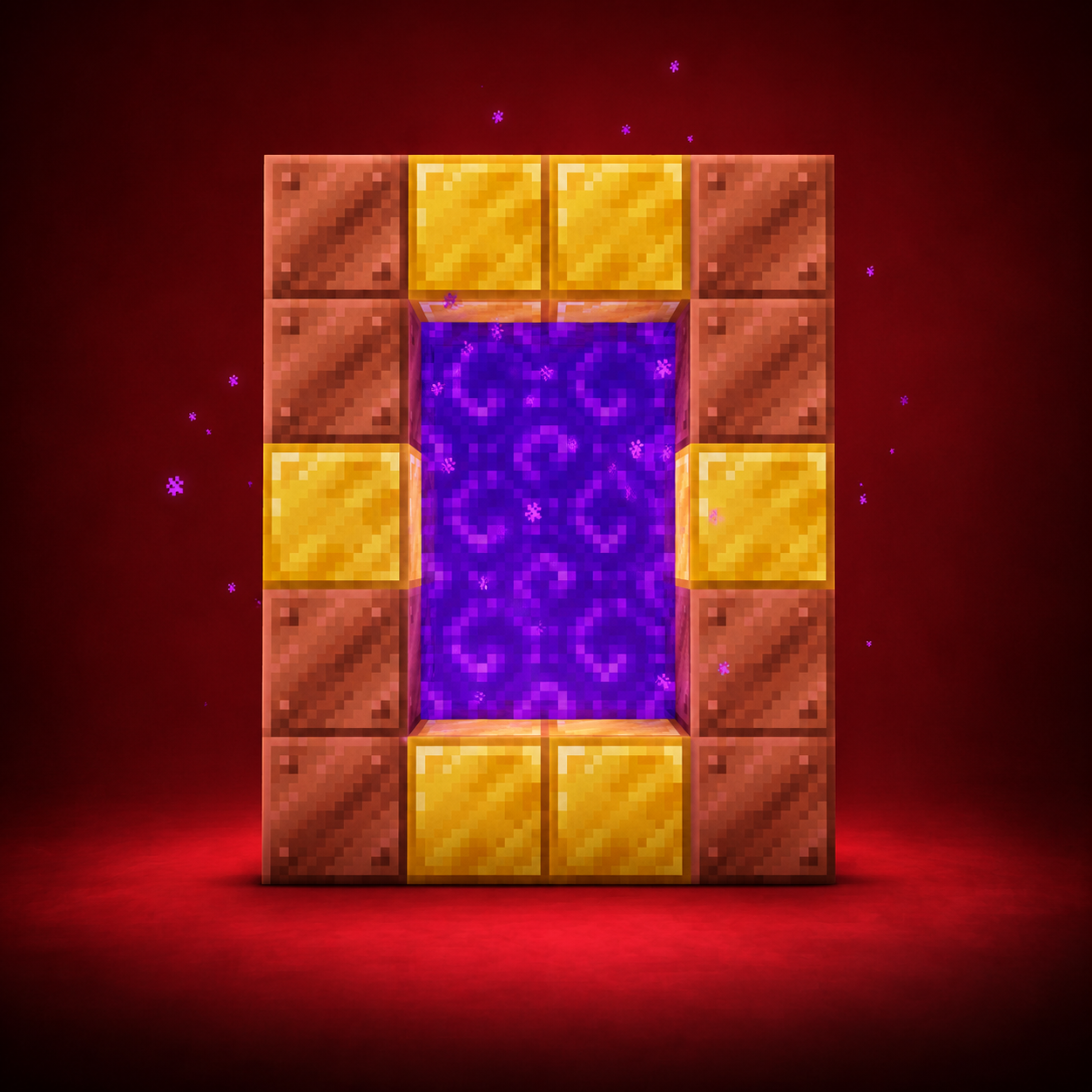
Travel between the Overworld and The Ancestral Realm.
Required Materials: 6 Gold Blocks & 8 Copper Blocks.
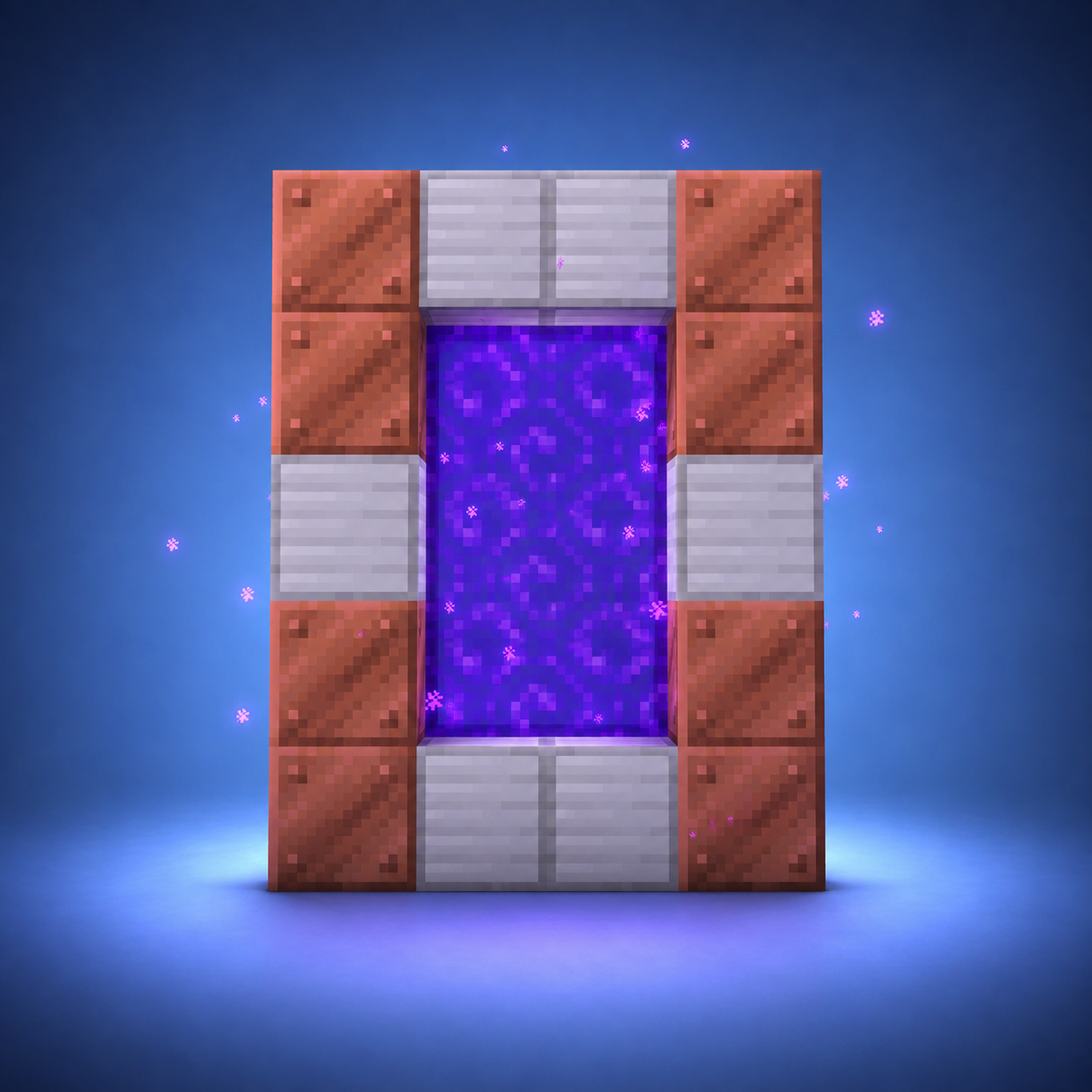
Travel to and from Spawn.
Required Materials: 6 Iron Blocks & 8 Copper Blocks.
These systems affect travel, combat, farms, storage, trade, logging out, and everyday survival. You do not need to memorize them all at once.
Name a rideable animal to claim it and control who may ride it.
/animallockYour Ender Chest is limited to nine protected slots, so safe storage stays valuable without becoming an unlimited warehouse.
Logging out leaves your body in the world, so choosing where you sleep matters.
Buy flag styles from The Trader and create a banner for yourself, your settlement, or your Unity.
Turn part of a claimed build into a working Gate or Bridge controlled by your land permissions.
Buy, sell, request, and hunt through three direct player-run markets.
/ah — auction player-owned items/cshop — create storefronts in claimed land(unity/private)./bounties — place or hunt player bounties
Use /kit or /kits to open the kit menu.
A rare Recovery Compass sold by The Trader that can track an active Death VI grave.
Speak naturally with nearby players or create private voice groups for a Unity, allies, or travelling party.
Visit the Voice Chat GuideLink Minecraft and Discord so supported roles and purchased ranks can remain synchronized.
Visit the Discord Setup GuidePhantoms do not naturally spawn in the Overworld. They live in The End and remain neutral until attacked.
Charged Respawn Anchors act as physical homes in the Overworld, Nether, and The End.
/ra to travel or manage names; multiple players may link the same anchorFTF uses faster faction-style melee while keeping Maces on their own normal timing.
Regular mob spawners can be mined with Silk Touch and relocated while keeping their mob type.
Vote Keys are earned by voting, while Flame of Souls and Soul Eater keys open higher-value reward pools.
/vote shows all 4 voting sites, your vote total, and the leaderboardLarge animal farms have local limits so one base cannot fill an area with unlimited entities.
Inside the designated Spawn boost area, double-tap Space to launch forward and move around Spawn quickly.
Start with /help. The list below covers the commands most
players will use for land, travel, kits, markets, communication, and stats.
/help
See commands, server information, and quick links in one menu.
/unity
Create or manage your group, members, roles, diplomacy, succession, and territory.
/privateland · /pland
View your private claims and give players or Unities selected access permissions.
/ra
Travel to or manage linked anchors. Normal travel takes 20 seconds and cancels on movement or damage.
/tpa <player> · /tpaccept
Request or accept a teleport. After acceptance, travel takes 20 seconds; /tpa has a 60-second request cooldown.
/kits
Claim your available Starter or tier kits and check their cooldowns.
/vote
Open all voting sites, view your vote count and leaderboard, and earn Vote Keys from verified votes.
/ah
Browse, search, bid on, and create player item auctions.
/shop
Create a shop for personal or unity land, and sell items using chests, No signs needed! We use holloghrams.
/bounties
View, place, and manage player bounties.
/deaths
View deaths out of seven, remaining lives, current affliction, and its timer.
/stats
See personal and server statistics, including current-life Days Alive and wealth.
/animallock
View named animals and control ownership, riders, and animal settings.
/cosmetics
Manage available trails, halos, effects, nickname styling, and chat colour.
/dm · /r
Message another player, reply to your latest conversation.
/realname
Reveal the real Minecraft username behind a player's nickname.
/discord · /discordsrv
Get the community link or link/unlink your Minecraft and Discord accounts.
/store
Get the official FTF Hardcore tier store link.
/crates
Includes the Soul Eater Crate, Flame of Souls Crate, and Vote Crate contents.
/voicechat
Create and manage private Simple Voice Chat groups.
/prayer
Open the server's Catholic prayer collection.
Voice Chat Keybind
Press V when Simple Voice Chat is installed.